How Lease-to-own works at Big Lots
Follow these few simple steps to get your items!

Make sure you have Apple Wallet or Google Wallet set up on your phone.
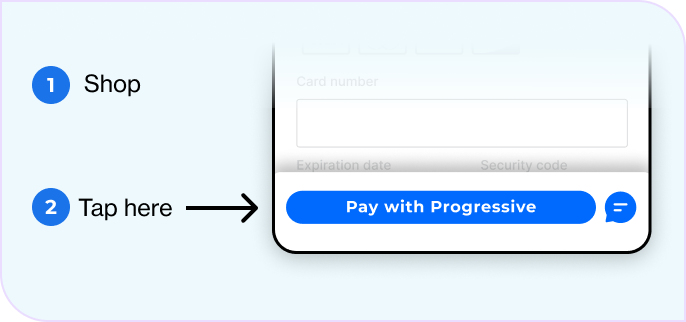
Shop then tap “Pay with Progressive”
Head to the store, find eligible items, then tap “Pay with Progressive” at the bottom of the screen.

Cart total must be >$300 (before taxes)

You can only lease furniture, appliances, electronics, & luggage.

You can’t lease gift cards, groceries, clothes, shoes, or hazardous items.
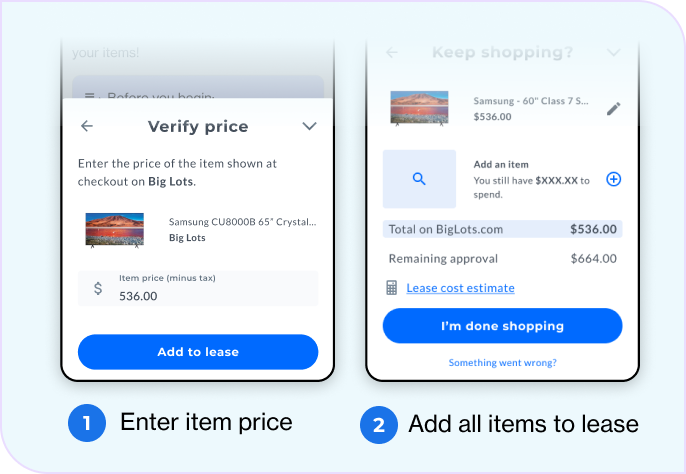
Tell us what’s in your cart
Add the item price & add it to your lease. Add any additional items you have in your cart by clicking the + sign.
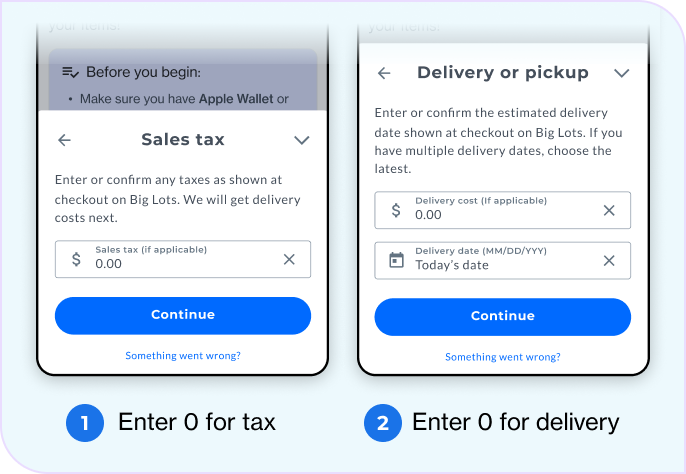
Enter $0 for tax and delivery
Enter todays date for the delivery date.
Before moving forward, go to the register and have a team member validate all items in the cart are lease eligible and the total matches.
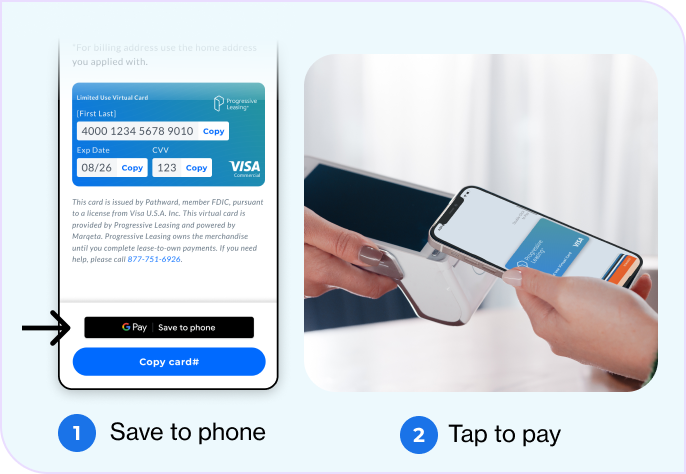
Sign & check out with the virtual card
Review and sign the contract.
Add the One-Time Virtual Card to your Apple or Google wallet, then tap your phone to complete your purchase.
What is leasable and not?
Items for personal, family or household use may be available to be included in Progressive Leasing’s lease-to-own option. Eligible items include appliances, furniture, jewelry, electronics, mattresses, mobile devices and accessories, musical instruments, and more. Progressive Leasing will not allow certain kinds of items to be included on the lease-to-own agreement. Examples: items that are prohibited from lease-to-own by law, items permanently attached to a home or vehicle, consumable or intangible items, and items that create an excessive risk defined by Progressive Leasing.
I can’t find my items in the app what do I do?
If you can’t find the items in the app then they are not eligible to be leased. Please find a different item and see the guidelines about what is leasable.
My virtual card is not working how do I fix it?
Please call customer service to resolve any issue with the virtual card not working 877-751-6926 .